Installation Guide
Unity package
To use EazeGamesSDK in your Unity project you will need EazeGamesUnitySDK.unitypackage and EazeGamesSDK.framework. The process of obtaining the EazeGamesSDK.framework will be covered in Configuration Guide. To download latest EazeGamesUnitySDK.unitypackage follow this link.
Now that you have successfuly downloaded the EazeGamesUnitySDK.unitypackage it is time to import it into the project:
- In Unity application go to:
Assets->Import Package->Custom Package...and select the downloadedEazeGamesUnitySDK.unitypackage.
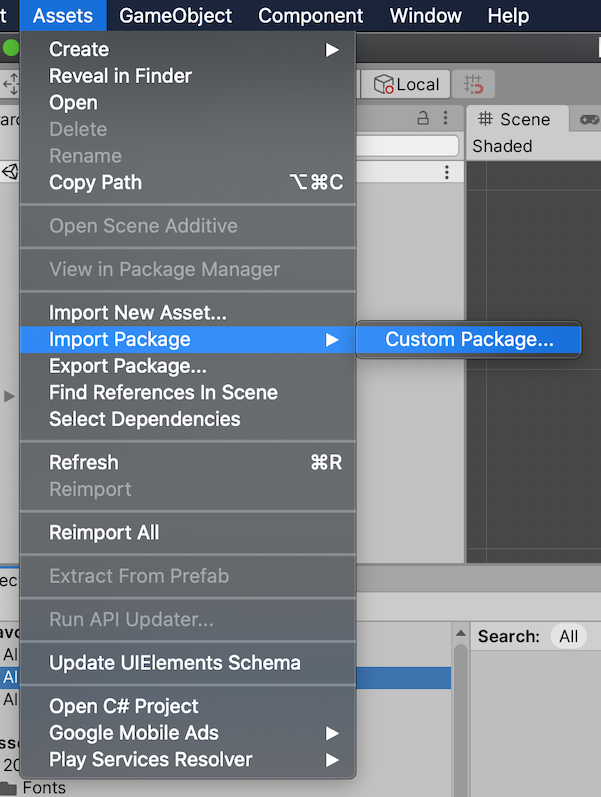
- In the
Import Unity Packagescreen make sure that all checkboxes are checked and then pressImport.

Done. Let's see the content of the EazeGamesUnitySDK.unitypackage more detailed:
Under
Assets/EazeGamesSDK/DLLfolder we have two sub foldersUNITY_DUMMYandUNITY_IPHONE. Those folders containEazeGamesSDK.dllforUnity editorandiOSrespectively. We need to make sure, that Unity didn't mess with platform selection for these dlls. Select eachdlland inInspectorview checkSelect platforms for pluginto be:- only
iOSfor/UNITY_IPHONE/EazeGamesSDK.dll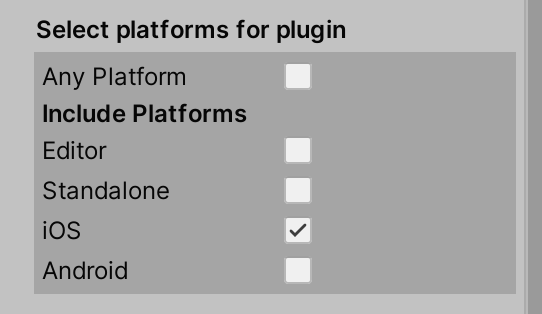
EditorandStandalonefor/UNITY_DUMMY/EazeGamesSDK.dll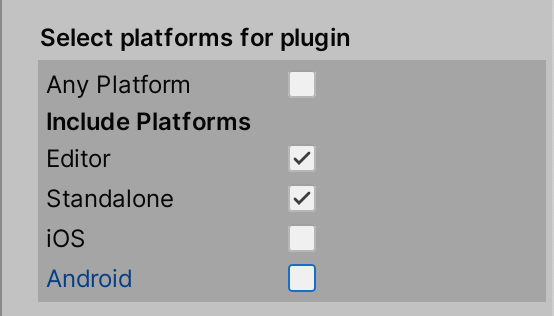
- only
Under
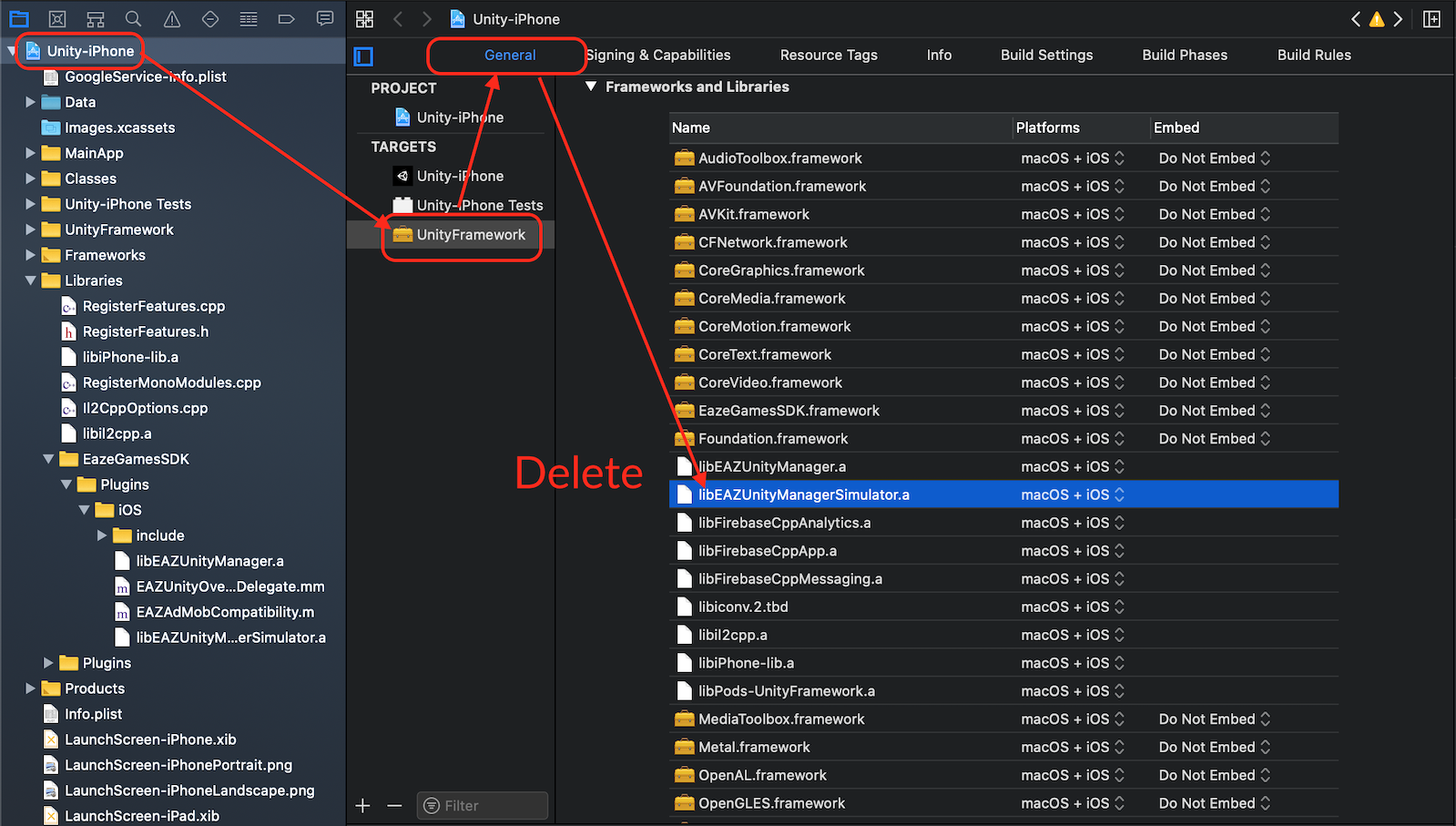
Assets/EazeGamesSDK/Plugins/iOSwe have twoiOSstatic libraries:libEAZUnityManager- for realiOSdevices.libEAZUnityManagerSimulator- for XcodeiOSsimulator.
Important
Distributing the iOS application to the Appstore will fail if your binary will contain any components build for Simulator architectures (e.g. libEAZUnityManagerSimulator). Before distributing your build, remove the libEAZUnityManagerSimulator library from your Xcode project (see pic below).
Carthage
According to Prerequisites it is necessary to have Carthage Package Manager installed. Carthage is a package manager for Apple platforms: iOS, macOS, tvOS, watchOS written in Swift. Since it's created specific for Apple platforms, you can install it only on Mac OS device / virtual machine.
Carthage is required for downloading EazeGamesSDK.framework.
You can install Carthage following this guide.
Cocoapods
Most of the Unity dependencies specified for iOS (e.g. Firebase SDK, GoogleAdMob SDK) will require Cocoapods installed on your Mac OS device / virtual machine.
You can install Cocoapods following this guide.